

Modernize .NET applications efficiently with GitHub Copilot
Outdated frameworks stifle innovation and increase maintenance costs. But the process of modernizing Microsoft .NET applications with GitHub Copilot has fundamentally changed. With the new Agent Mode, the AI assistant becomes an active partner that almost autonomously manages complex upgrades in Visual Studio, massively reducing the time required.
Advantages of software modernization with GitHub Copilot
Consistent software modernization is essential today to minimize security risks and maximize performance. By using AI-powered tools like GitHub Copilot Agent Mode, developers benefit from:
- Faster access to modern APIs.
- Automated troubleshooting for breaking changes.
- Seamless preparation for cloud-native environments.
Technical requirements in Visual Studio 2026
To use these features, you need Visual Studio 2026 (or VS 2022 from version 17.14.17 onwards) and an active GitHub Copilot license with the Modernization extension enabled.
Step-by-step: The .NET upgrade process in agent mode
1. Analysis via the @modernize command
Open your project and start the session either by right-clicking on the solution ("Modernize") or directly in the chat via @modernize. Here you specify whether you are aiming for a framework upgrade or a direct migration.
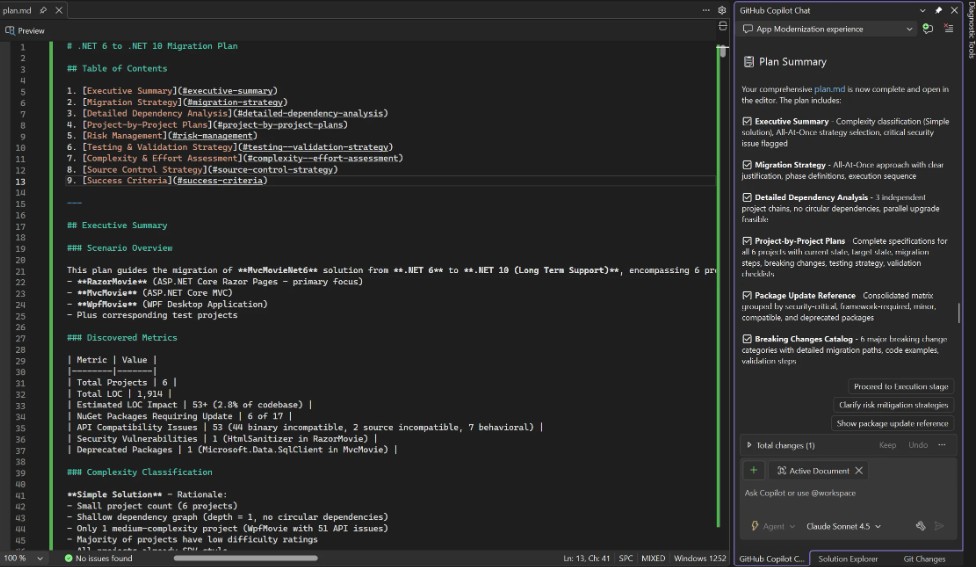
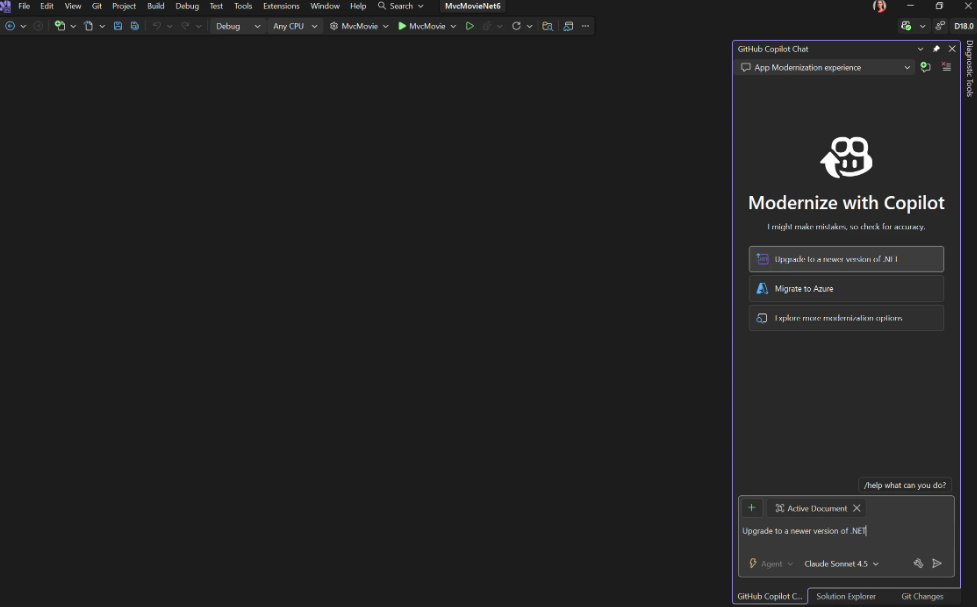 2. Strategic planning with assessment.md and plan.md
The Copilot creates a detailed analysis of your dependencies. The assessment.md file identifies outdated NuGet packages, while the plan.md file provides the exact schedule for the project. .NET Upgrade Specifies. You can review and customize this plan before the AI begins implementation.
3. Automated code adjustments and build fixes
Once you release the plan, the agent implements the changes. It updates project files, adjusts the syntax, and fixes build errors in an automated loop. Progress is transparently documented in the tasks.md file.
Ensuring Azure migration and cloud readiness
Modernization doesn't end with local code. Copilot helps you make your application "cloud-ready":
- Cloud Readiness Assessment: Identification of configuration gaps for cloud operations.
- Security validation: Automatic scans for CVEs in updated packages.
- Automatic deployment: Deploying Azure resources without manual infrastructure scripts.
Microsoft Sourcehttps://devblogs.microsoft.com/dotnet/modernizing-dotnet-with-github-copilot-agent-mode/
